
Too many separate tools
A scheduler, a notes app, a signing tool, spreadsheets and endless WhatsApp threads for approvals.
For social media managers and creators
Plan content with AI, get client approvals with one link, schedule posts, sign contracts and understand your analytics — without five different tools.
14-day free trial on every plan. Both modes included.
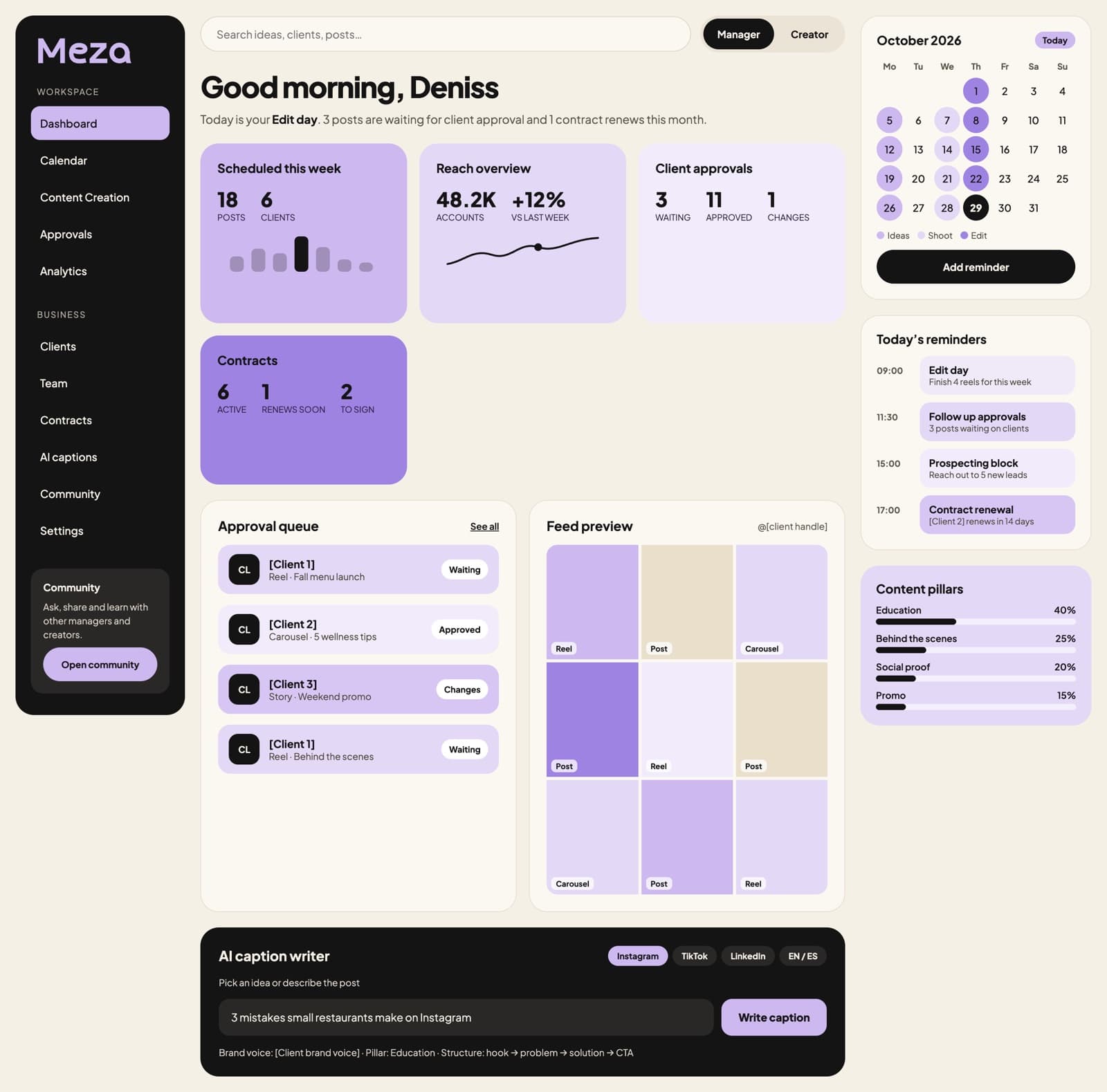
The problem
A scheduler, a notes app, a signing tool, spreadsheets and endless WhatsApp threads for approvals.
Most tools charge per team member, so growing your team makes every tool more expensive.
Dashboards show what happened, not why — or what to post next.
Features
Find your content pillars, drop in ideas and let AI sort them into the right pillar. Turn any idea into a full script: hook, problem, solution, call to action.
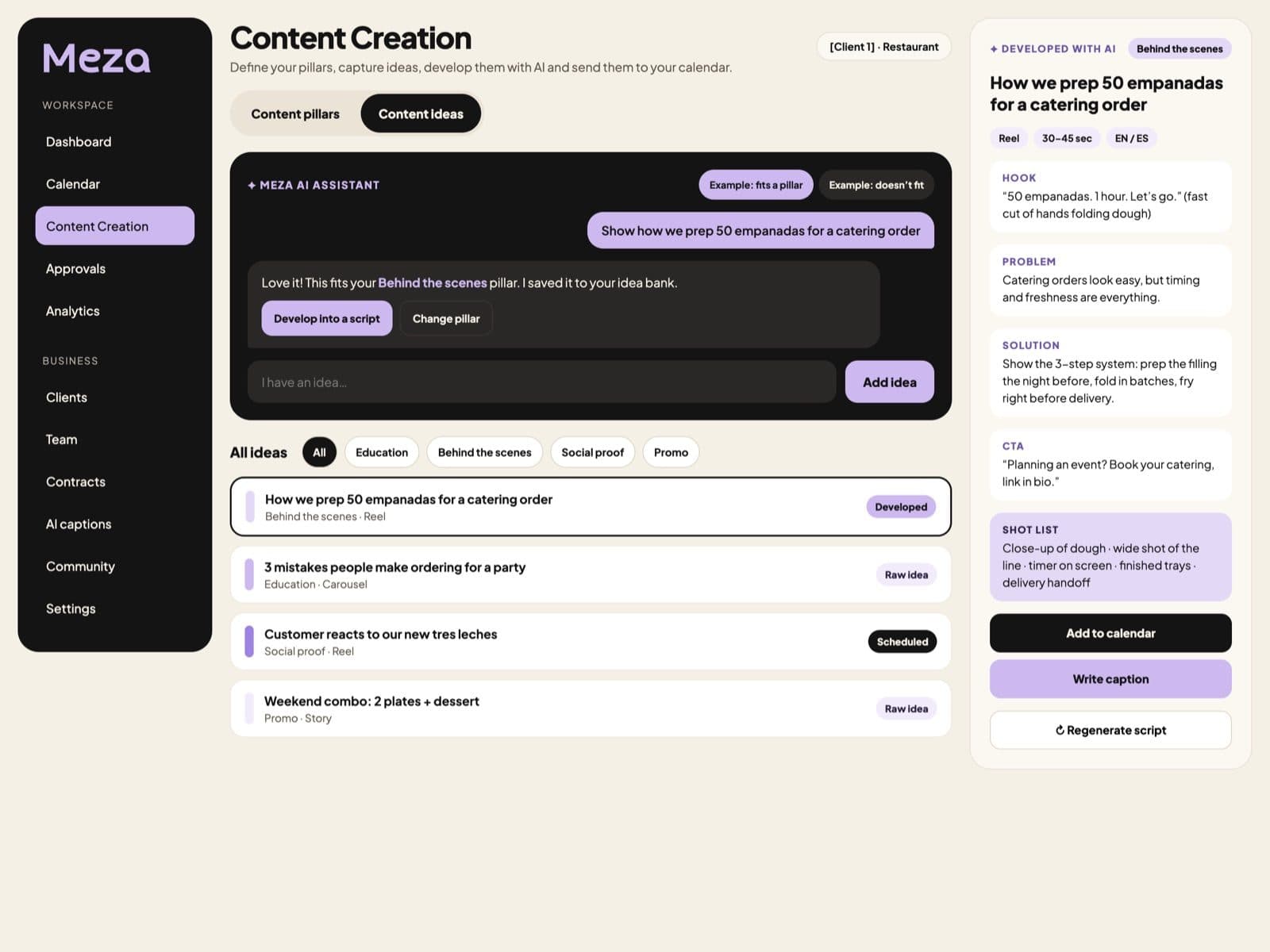
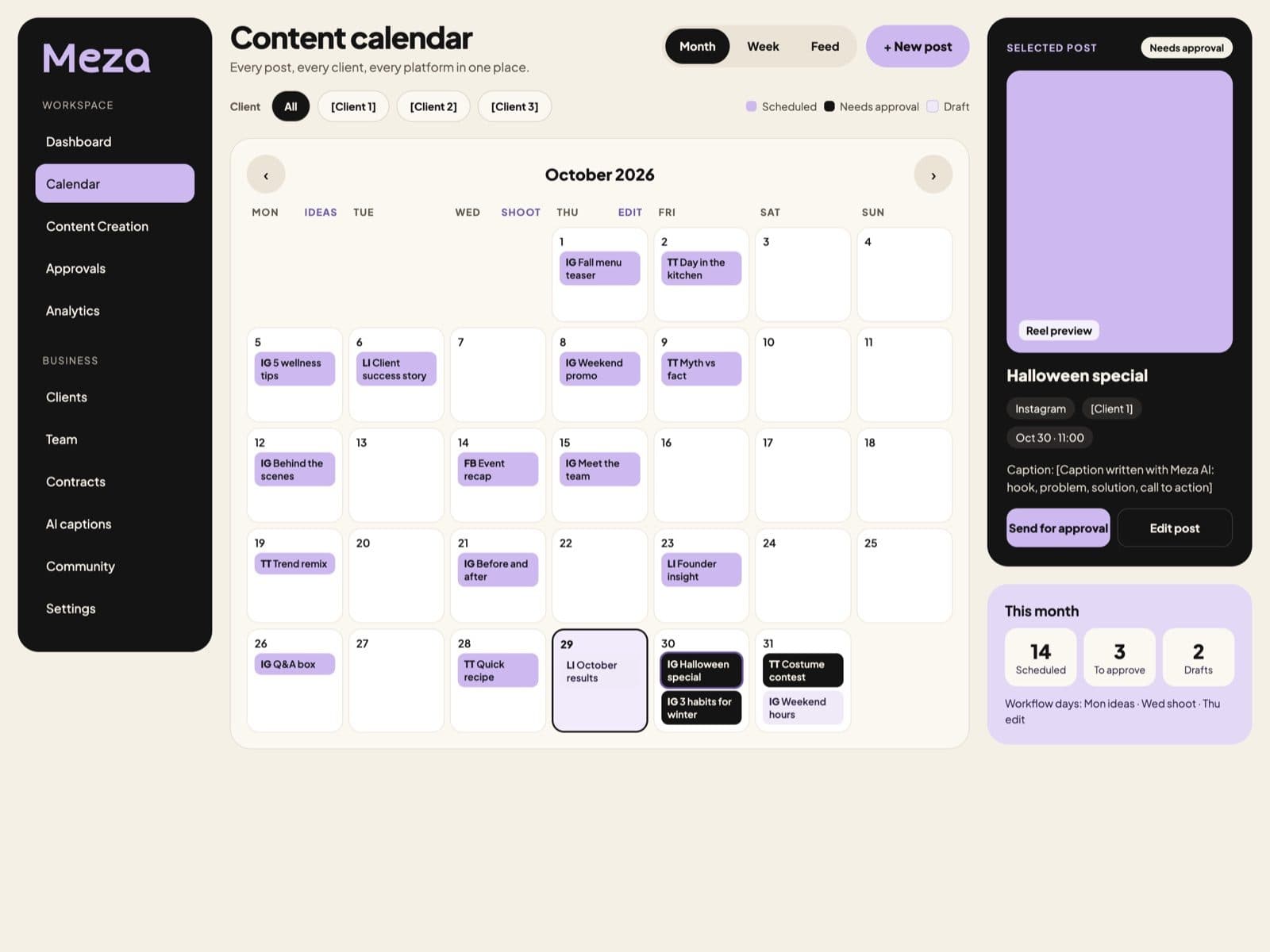
Plan every platform by month or week, see your grid before it goes live, and get reminders on your ideas, shoot and edit days.
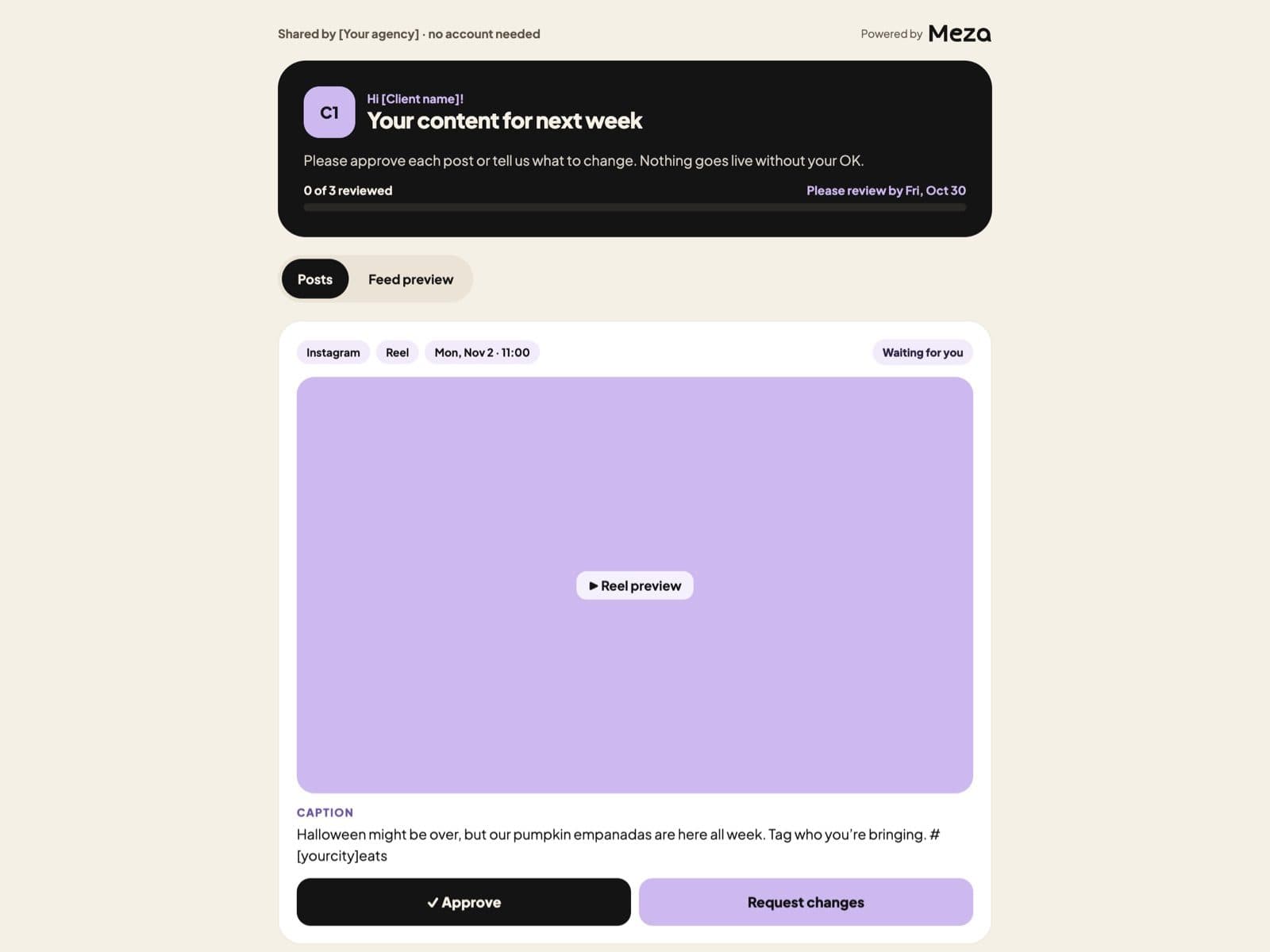
Send one link by WhatsApp, SMS or email. Clients approve or leave notes on the exact second of a video. Your team notes stay private.
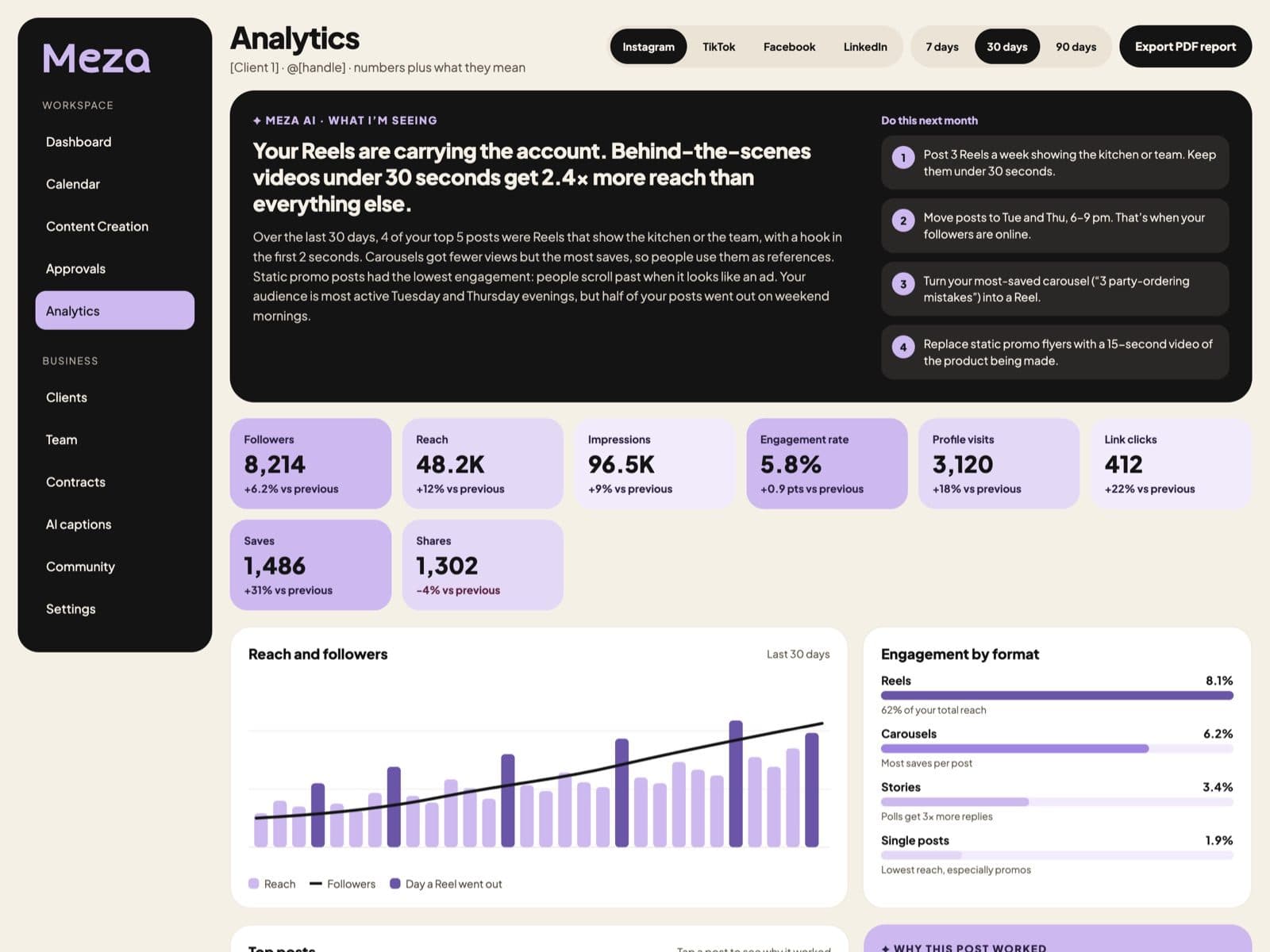
Reach, followers and engagement in one place, plus a plain-language summary of what's working, why, and what to post next.
Every plan includes both modes
Pick the plan by how many brands you manage, not by who you are. Each mode unlocks its own tools, and the core tools work in both.
Brand deal tracker
Every collab from pitch to paid, with deliverables and key dates.
Earnings dashboard
See what you made this month, this year and by brand.
Due date reminders
Drafts, brand reviews and publish dates, so you never miss one.
Payment reminders
Know who still owes you and send a friendly nudge.
Brand contracts
Send and sign agreements with the brands you work with.
Content calendar + feed preview
Plan every platform and see your grid before it goes live.
Content Creation with AI
Pillars, ideas and full scripts: hook, problem, solution, call to action.
AI captions
In your brand voice, per platform, in English or Spanish.
Scheduling
Publish to Instagram, TikTok, Facebook and LinkedIn.
Analytics explained by AI
The numbers plus what's working, why, and what to post next.
Workflow reminders
Your ideas day, shoot day and edit day, on repeat.
Community
Ask, share and learn with other creators and agencies.
Pricing
Plan, approve, schedule, sign contracts and get paid. 3 team members included, so you don't pay for every seat. 14-day free trial on every plan.
For one brand
$19/month
Billed monthly
Join the waitlistFor managing several brands
$39/month
Billed monthly
Join the waitlistFor teams and agencies
$79/month
Billed monthly
Join the waitlistExample: a social media manager with 5 clients and a team of 3.
| Feature | Meza Pro | Others |
|---|---|---|
| Price for this example | $39/mo | Often $70+/mo |
| How you pay | Per plan | Often per team member |
| Team members | 3 included | Each one paid |
| Each extra team member | $10/mo | Often $20+/mo |
| Creator + Manager tools | ✓ Both included | Usually one focus |
| Client approvals | ✓ No login | Varies |
| Contracts with e-signature | ✓ | Usually a separate tool |
| Idea bank + content pillars with AI | ✓ | Usually a separate tool |
| Analytics explained by AI | ✓ | Varies |
| Workflow reminders | ✓ | Usually a separate tool |
Others: typical social media tools that charge per team member, based on public pricing checked October 2026. Features and prices vary by tool and change over time.
No, but every plan starts with a 14-day free trial so you can try everything before you pay.
No. Both modes are included in every plan and you can switch anytime. Plans only differ by how many brands and team members you have.
No. You send them a private link and they approve or leave notes right there — no sign-up, no password.
Instagram, TikTok, Facebook and LinkedIn, with YouTube on the way.
AI captions already write in English or Spanish. The app itself is in English for now, with Spanish coming soon.
Yes. You can upgrade, downgrade or cancel from your settings whenever you want.
Coming soon
Join the waitlist and we'll email you when your spot opens — plus early-bird pricing.